
Qualifi Dashboard Reports
This article explains the analytics data your dashboard displays.
User Activity Report
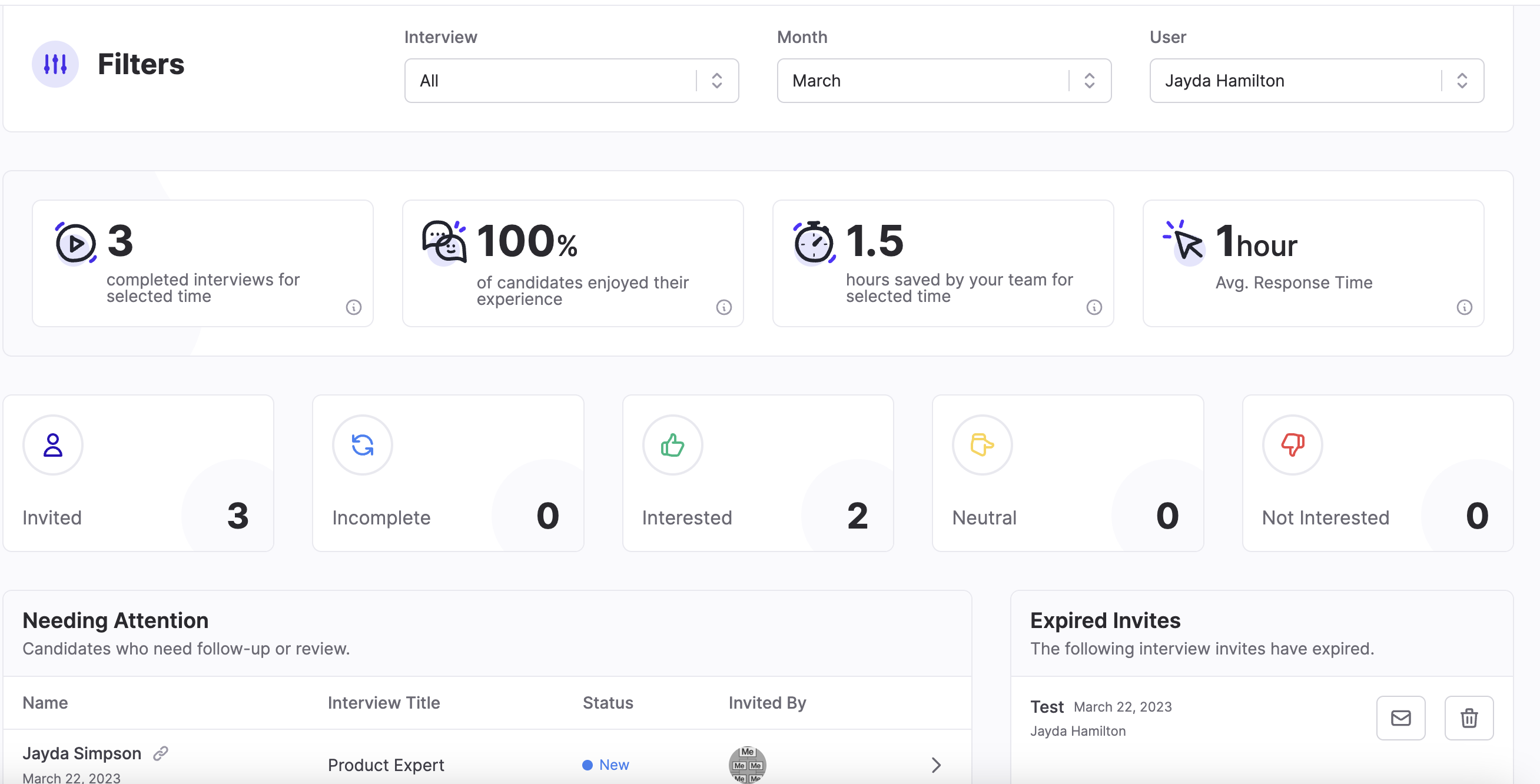
This report includes:
- Ability to filter by Month, Team, and User
- Total number of completed interviews
- % of candidates who enjoyed the experience
- How many hours you've saved by using Qualifi
- Average response time
- # of Invited Candidates
- # of Incomplete Interviews
- # of Interested Candidates 👍
- # of Not Interested Candidates 👎
- # of Neutral Candidates
- # of Expired Invites
-
Candidates that need to be reviewed
⚠️ Caution: If you have any questions or need assistance, please email service@qualifi.hr.