
Installing our extension on Edge
Even though our extension is officially supported only in Google Chrome, you can still install it on Microsoft Edge by following the steps below
-
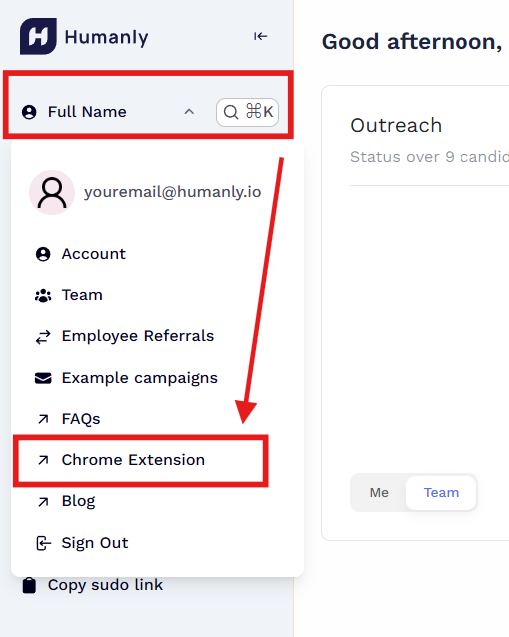
Open your Humanly profile and select the Chrome Extension option.
-
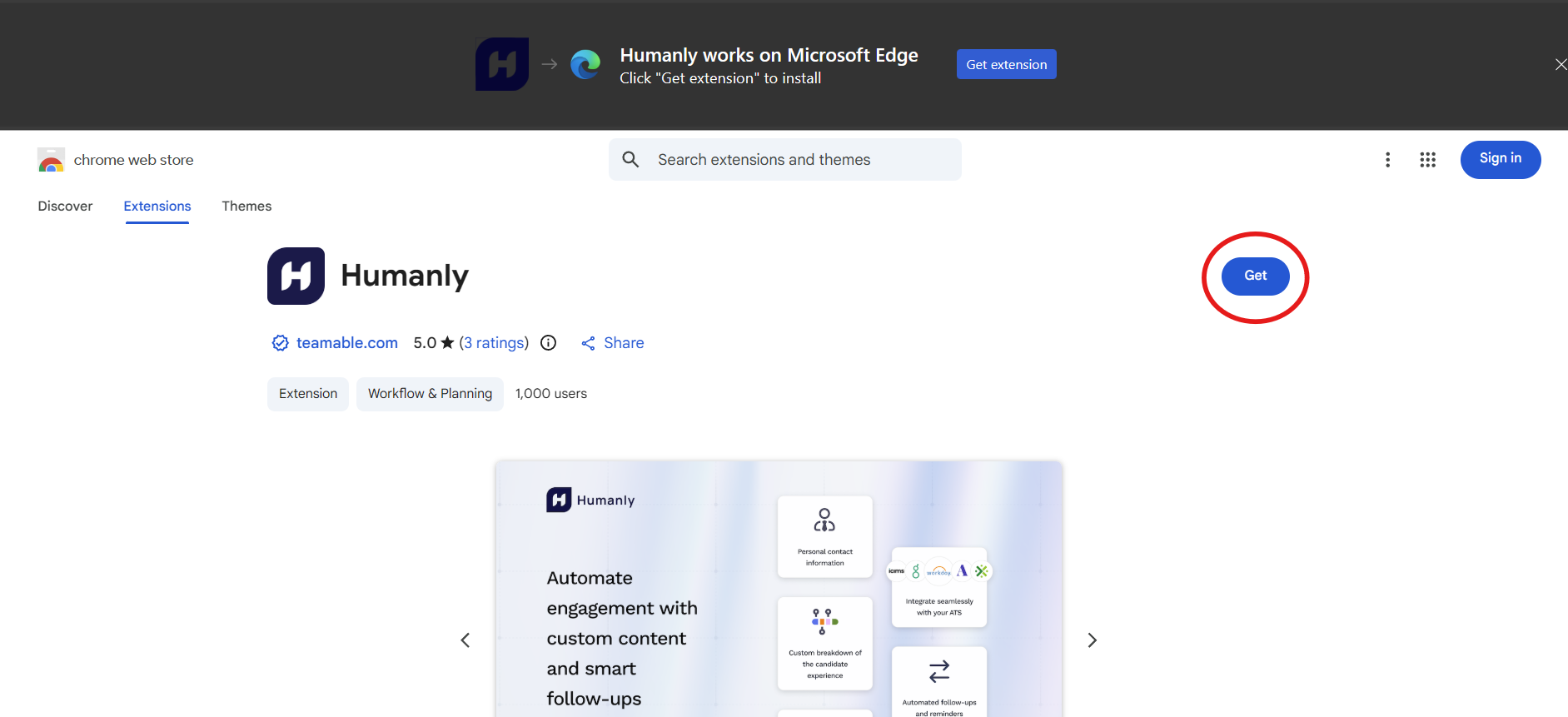
You’ll be redirected to the Chrome Web Store. Edge can install extensions from there Click Get.
-
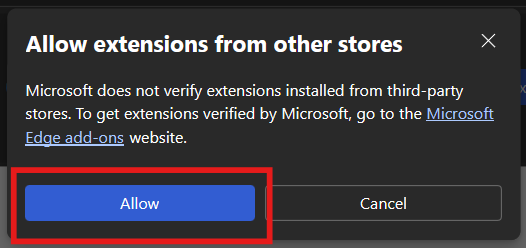
Edge will prompt you to confirm installing an extension from outside the Microsoft Store. Select Allow.
-
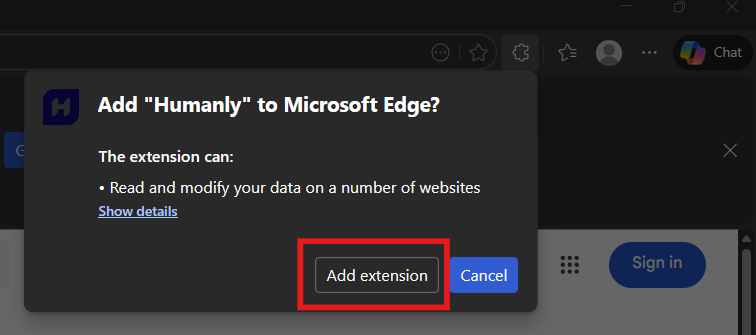
Click Add extension to finish installing.
-
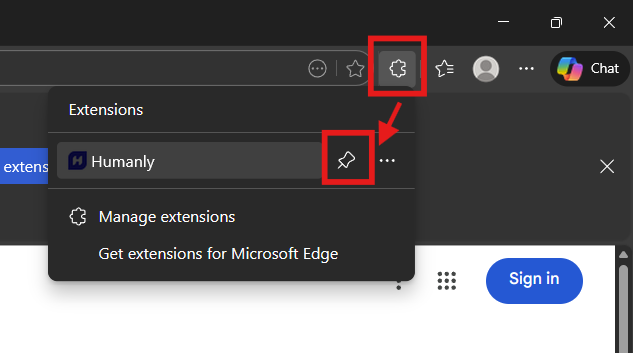
For quick access, open the Extensions menu and pin Humanly.
That's it! You're now ready to send outreaches via Humanly in the Edge browser!